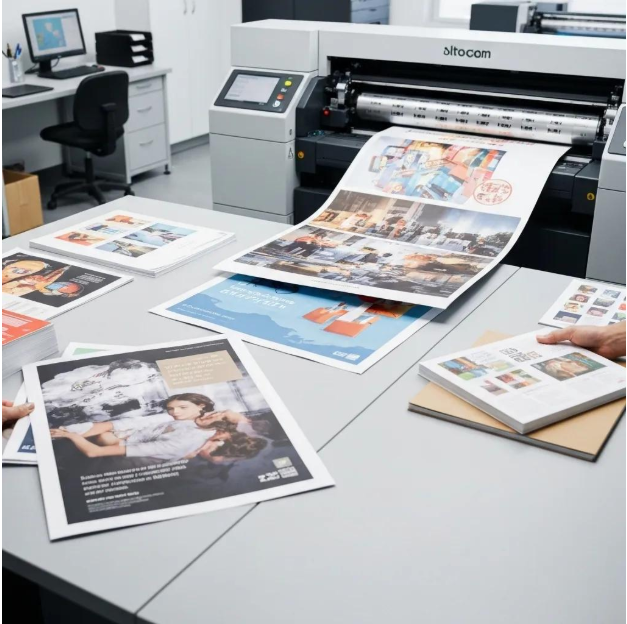
Colors play a major role in digital design and print production. However, not all color formats work the same way across screens and printed materials. One common challenge designers face is converting HEX colors into CMYK values. Understanding this process helps ensure that colors look consistent, professional, and accurate when moving from digital screens to physical prints.
This guide explains HEX and CMYK color formats, why conversion is important, and how HEX to CMYK conversion works in a simple, non-technical way.
What Is a HEX Color Code?
HEX color codes are widely used in web design and digital platforms. A HEX color is written with a hash symbol followed by six characters, representing different color intensities. These colors are created using light and are optimized for screens such as computers, smartphones, and tablets.
Designers often use HEX colors in:
- Websites and blogs
- Mobile applications
- Digital graphics
- User interface design
Because HEX colors are screen-based, they may not always look the same when printed.
What Is CMYK Color Mode?
CMYK stands for Cyan, Magenta, Yellow, and Black. This color model is specifically designed for printing. Instead of using light, CMYK relies on ink combinations applied to paper.
CMYK is commonly used for:
- Business cards
- Flyers and brochures
- Magazines and books
- Product packaging
Printers require CMYK values to produce accurate and predictable color results.
Why Convert HEX to CMYK?
HEX colors are perfect for digital use, but printing with HEX alone can cause color shifts. Screens display bright and vibrant colors, while printers have physical limitations based on ink and paper.
Converting HEX to CMYK helps:
- Maintain color consistency between screen and print
- Avoid unexpected color changes
- Ensure professional print quality
- Meet printer requirements
This step is especially important for brand colors, marketing materials, and commercial printing projects.
How HEX to CMYK Conversion Works (No Technical Details)
When a HEX color is converted to CMYK, the digital color information is translated into ink percentages that printers can understand. This conversion adjusts brightness and tone so the color can be reproduced accurately using ink instead of light.
Online tools and design software automatically handle this conversion process, making it quick and easy for designers. These tools provide instant CMYK values that are ready for print use.
Common Uses of HEX to CMYK Conversion
HEX to CMYK conversion is useful in many real-world scenarios, such as:
- Turning website colors into printed marketing materials
- Preparing logos for brochures or banners
- Matching brand colors across digital and print platforms
- Creating print-ready artwork
Without proper conversion, printed designs may appear dull, darker, or off-brand.
Important Tips for Better Print Results
- Always convert colors to CMYK before sending files to print
- Keep in mind that some bright digital colors cannot be perfectly printed
- Request print proofs to check color accuracy
- Use reliable color conversion tools for consistent results
Following these tips helps avoid costly printing mistakes.
Best Tools for HEX to CMYK Conversion
Many online color conversion tools allow you to instantly convert HEX colors to CMYK without manual effort. These tools are ideal for designers who want fast and reliable results while preparing designs for print.
They are especially helpful for beginners who want accurate colors without learning complex color theory.
Conclusion
HEX to CMYK conversion is an essential step when moving from digital design to print production. HEX colors are designed for screens, while CMYK colors are optimized for ink and paper. Converting between the two ensures color accuracy, consistency, and professional-looking printed materials.
By understanding the basics and using trusted conversion tools, designers can confidently produce high-quality designs that look great both online and in print.